 Loopdrill
Download
Loopdrill
Download
Hear it slowly. Play it right.
Loopdrill slows any song down without changing the key, loops the passage you are working on, and stays out of your way. Free on iPhone, iPad and Mac.

No ads. No subscription. Lyrics Practice Pro is an optional one-time purchase.
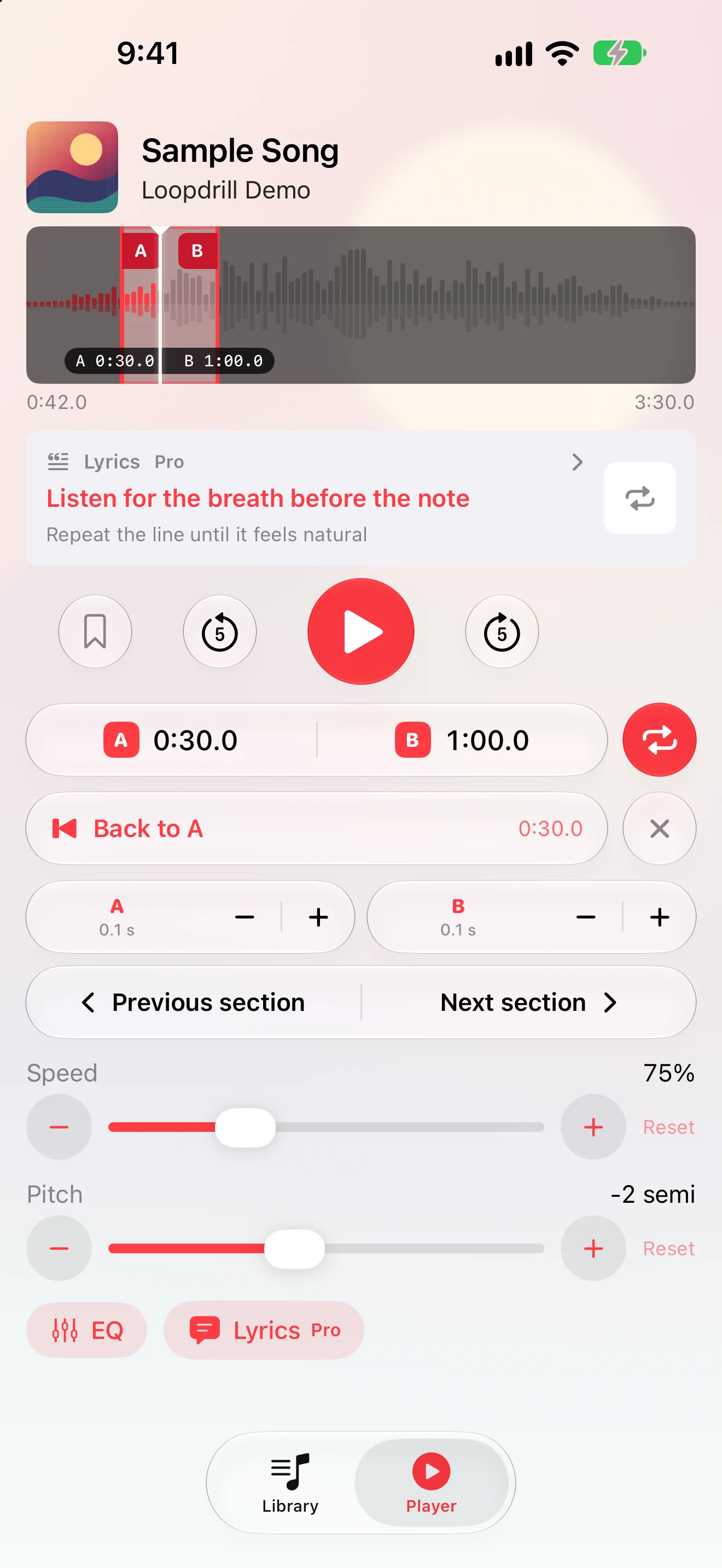
A loop from 0:30.0 to 1:00.0 playing at 75% speed. The key does not move.
Three steps to a passage you can play
Bring in the song
Open a track from Apple Music or import an MP3, WAV, AAC, AIFF or M4A file from the Files app.
Slow it down
Drag the speed from 100% to as low as 25%. The pitch stays locked, so every note still sounds like the record.
Loop the hard part
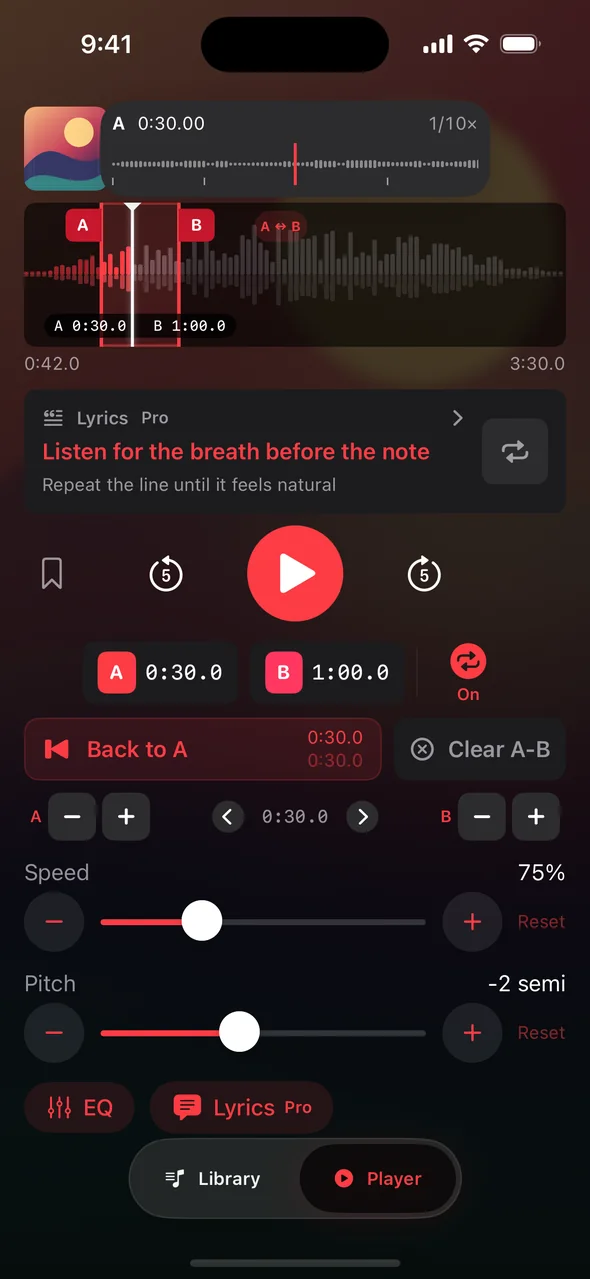
Set A and B on the waveform. Long-press a handle to move it at one-tenth speed with a magnified view, then let it repeat.
Built for practice, not for playlists
Speed from 25% to 200%
Pitch-locked time stretching. Slow a solo down to hear every note, then bring it back up step by step.
A–B loops with precise handles
Set a range on the waveform, drag either end, or long-press for one-tenth speed with a loupe. Loops can be as short as 0.4 seconds.
Waveform navigation
See the shape of the whole track. Tap to jump, drag to scrub, and read the position to a tenth of a second.
Bookmarks
Mark verse, chorus, bridge and solo. Jump back with one tap, on iPhone or from your Apple Watch.
Pitch shift for imported files
Transpose from −12 to +12 semitones to match your tuning, a capo position or a comfortable vocal range.
10-band equalizer for imported files
Presets such as Bass Boost and Vocal bring the part you are copying to the front.
Apple Music and your own files
Speed, loops and bookmarks work with both. Pitch and EQ apply to imported files, since Apple Music streams do not allow those two controls.
iPhone, iPad, Mac and Apple Watch
One download. Side-by-side library and player on iPad, keyboard shortcuts on Mac, transport controls on your wrist.
The player, the lyrics, the loupe
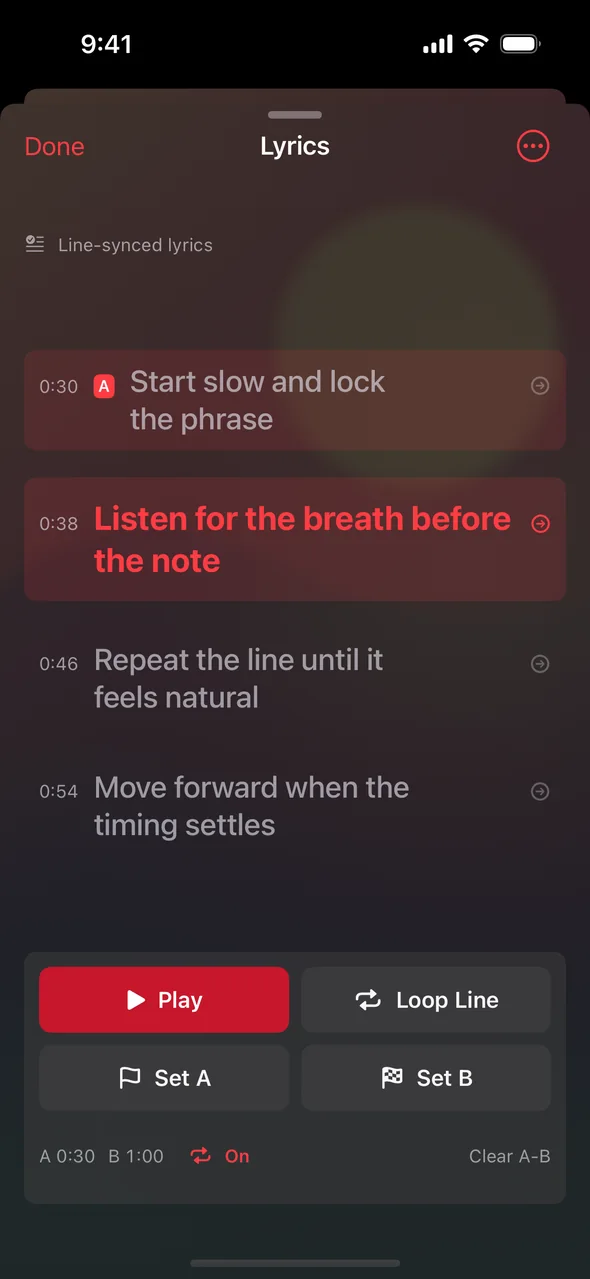
Lyrics Practice Pro
A one-time purchase that adds lyric tools to the same loop engine. Everything else on this page stays free.
What Pro adds
- Follow timed lyrics line by line while the song plays.
- Long-press a line and drag to select a run of lines, then loop just that passage.
- Set A and B straight from the lyrics.
- Edit a line's timestamp or shift the whole sync offset when the timing is off.
- Import LRC files or paste lyrics you have permission to use.
- Try the built-in sample before you buy. Restore on any device with the same Apple Account.
What Pro is not
- Not a lyrics catalog. Availability and accuracy of online lyrics vary by song.
- Not automatic transcription or AI. Timing tools are manual and precise.
- Not required for anything above. Playback, speed, pitch, EQ, loops and bookmarks stay free.
One-time purchase. Price shown in your local currency on the App Store. No subscription.
One app, four places to practice
iPhone
Everything, in one hand. Album art colors the player and the design follows the current iOS look.
iPad
Library and player side by side in a wide window. Rotation keeps your lyrics and loop where they were.
Mac
Native Mac app. Space to play, ⌘← and ⌘→ to seek, ⌘L for lyrics, ⌘⇧L to loop, ⌘O to open files.
Apple Watch
Play or pause, toggle the loop, return to A or the start, and open bookmarks from your wrist. Use the Digital Crown for iPhone volume.
Questions people ask before downloading
Is Loopdrill really free?
Yes. Playback, speed control, pitch shift and EQ for imported files, A–B loops, bookmarks, waveform navigation and Apple Music playback are free with no ads. Lyrics Practice Pro is a separate, optional one-time purchase.
Why can't I change the pitch of an Apple Music song?
Apple Music streams are played through Apple's player, which does not allow pitch shifting or EQ. Import the file instead if you need those two controls. Speed, loops and bookmarks work with Apple Music.
Which audio formats can I import?
MP3, AAC, M4A, WAV, AIFF and other formats that iOS can play. Files stay on your device.
Does it slow music down without changing the pitch?
Yes. Speed is adjustable from 25% to 200% with the pitch locked. Pitch can be changed separately, in semitones, for imported files.
What does Lyrics Practice Pro cost?
It is a single non-consumable purchase. The App Store shows the price for your country before you buy, and you can try the built-in sample first. The purchase restores on iPhone, iPad and Mac with the same Apple Account.
Where do lyrics come from?
You can import an LRC file or enter lyrics you are allowed to use. Online lookup is off by default; in Settings, enter an LRCLIB-compatible HTTPS server and turn it on if you want to search. Not every song has timed lyrics.
Is my data uploaded anywhere?
Imported audio, lyrics, bookmarks and settings stay on your device. Song metadata is sent to your chosen server only when you enable online lyrics and tap Find Lyrics for a song. Usage statistics are sent only if you opt in, and never include song titles or lyrics. See the privacy policy.
Put the hard part on repeat
Free on the App Store for iPhone, iPad and Mac.